32.2 Security and Data Access
Acinta controls access with users, their passwords, a user filter for which data each user may see, and a private folder for which workbooks they see. There are no groups or roles, and no per-object permissions.
Which Data a User Sees: the User Filter
The Filter tab of the user properties holds the user's filter – row-level security. It's applied to every query the user runs, in Datashop, distributions, Datashop Web and nikolAI.
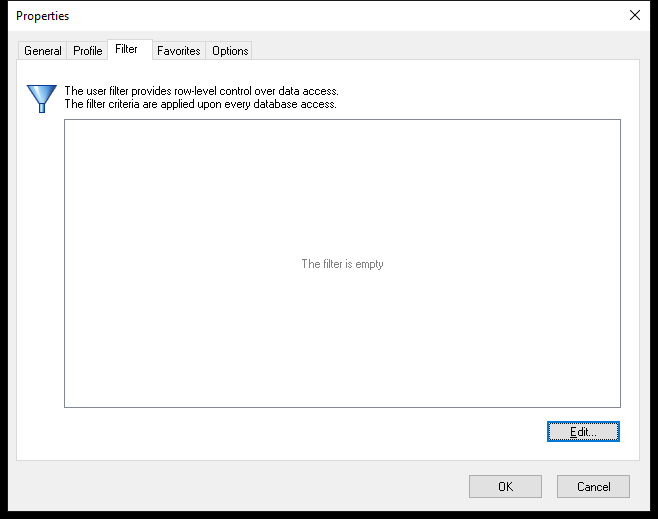 An empty user filter: the user sees all data.
Click Edit... to build it like any filter, e.g. Company = Cronus Denmark, or Salesperson = John. See 9.2 Building Filters. Users can't see or change their own filter.
Which Workbooks a User Sees: the Private Folder
Private folder (Profile tab) limits the workbook folders the user browses in Datashop. It hides workbooks, but isn't a strict permission – protect sensitive data with the user filter, not with folders.
What Users Can Do
- Datashop Expert or Workbook is a matter of which edition is installed, not a user setting.
- Every active user can log in to Enterprise Manager and Modeller. Limit who has these programs installed.
- Only the Administrator has some extras, such as seeing all workbook folders.
Logging In
- Datashop first tries the Windows user name: if an active Acinta user has the same name, Datashop logs in without asking for a password. Hold Shift while Datashop starts to get the login dialog.
- Modeller and Enterprise Manager always ask for user name and password.
- The project option Login type currently has no effect.
[!WARNING] Because of the automatic login by Windows name, anyone logged in to Windows with the same name as an Acinta user gets that user's access without a password. Make sure Acinta user names match the right Windows accounts – and be careful with names like Administrator that exist on many PCs.
Passwords
- There are no password rules: choose strong passwords yourself, and don't leave passwords empty – new users have none until you set one.
- Change the Administrator's default password (
system). - Passwords are stored encrypted in the project, not hashed. Protect access to the project repository (file or database).
Sessions and Audit
- Datashop Web sessions end after 30 minutes without activity.
- With the audit log on, Acinta records sessions and report runs. Failed logins aren't recorded. See 32.3 The Audit Log.
Checklist for Administrators
- Change the Administrator password.
- Give every user a strong password.
- Set user filters for users who may see only part of the data.
- Deactivate users who leave.
- Restrict access to the repository database or file, and to the data warehouse accounts.
- Install Modeller and Enterprise Manager only for administrators.
Related Topics
- 32.1 Users
- 32.3 The Audit Log
- 13.4 SQL Script and Program Actions – actions that run SQL or programs
- 19.1 SQL Explorer